

Bybit Sign-Up Guide
Follow the steps below to register easily
Download the Bybit App
Search for Bybit on the App Store (iOS) or Google Play (Android)
and download the official app.
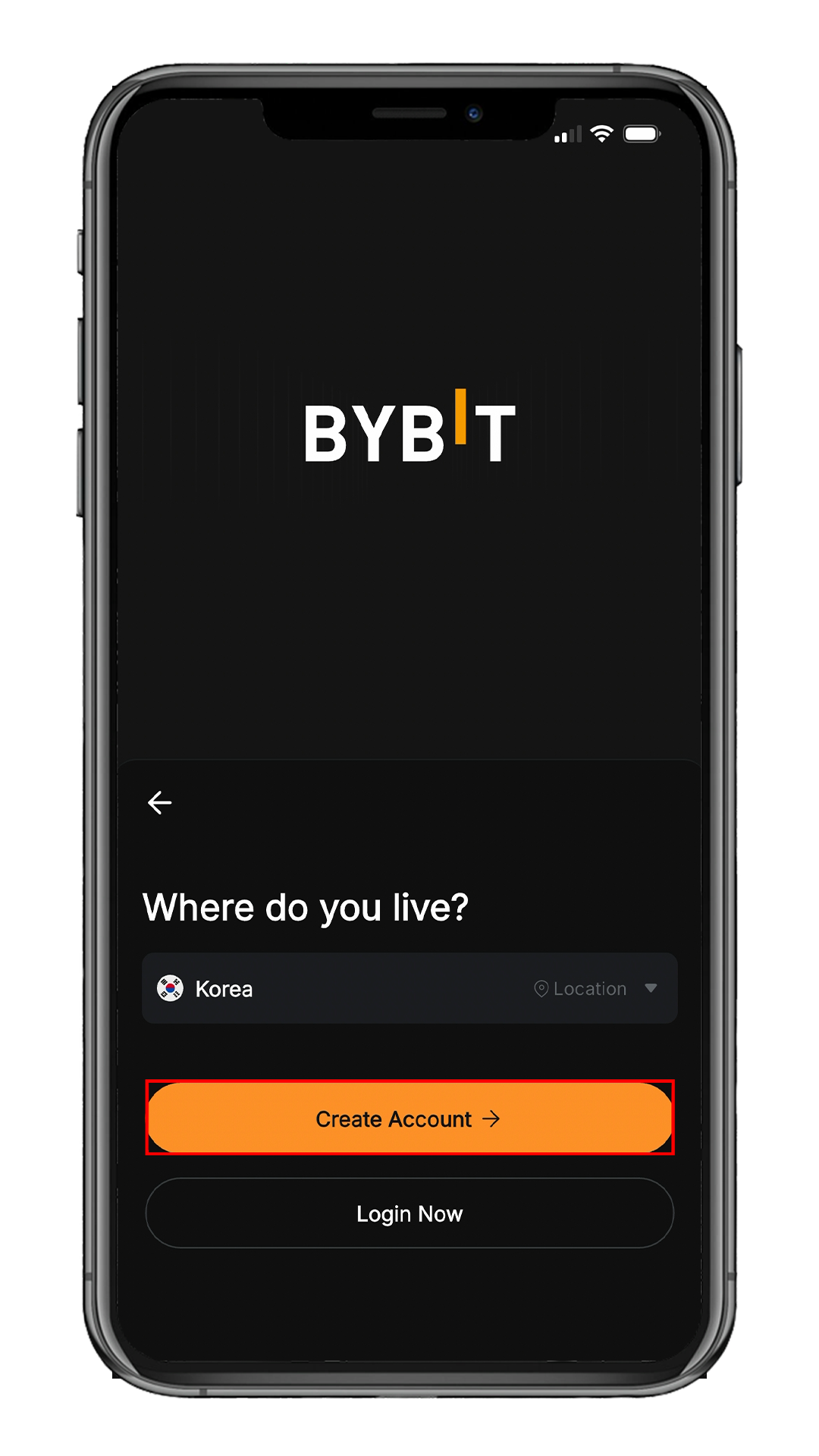
Select Your Country
After launching the app, select your country of residence,
then tap Create Account.
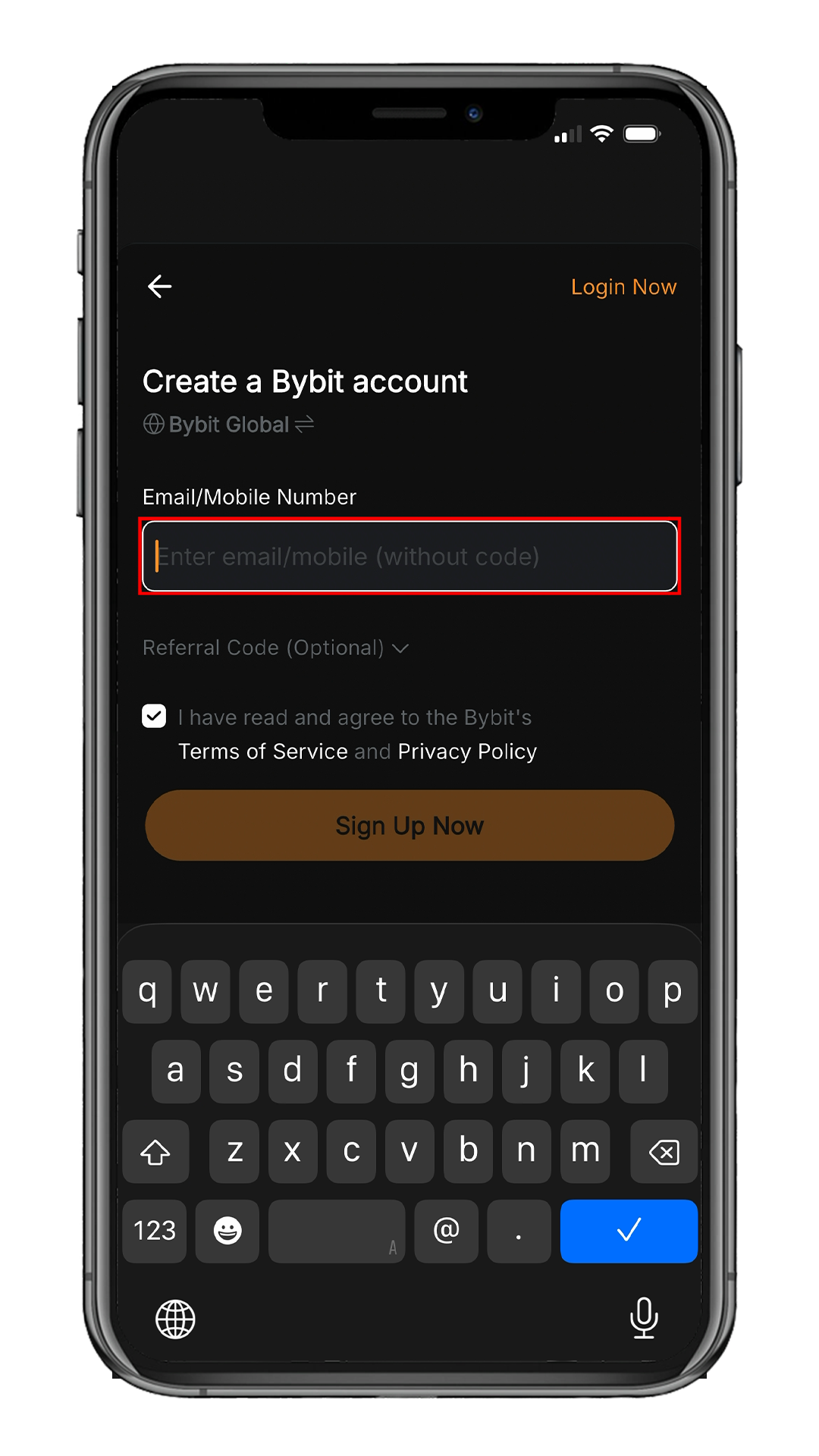
Email or Phone Signup
Enter your email address or phone number.
Email signup is recommended.
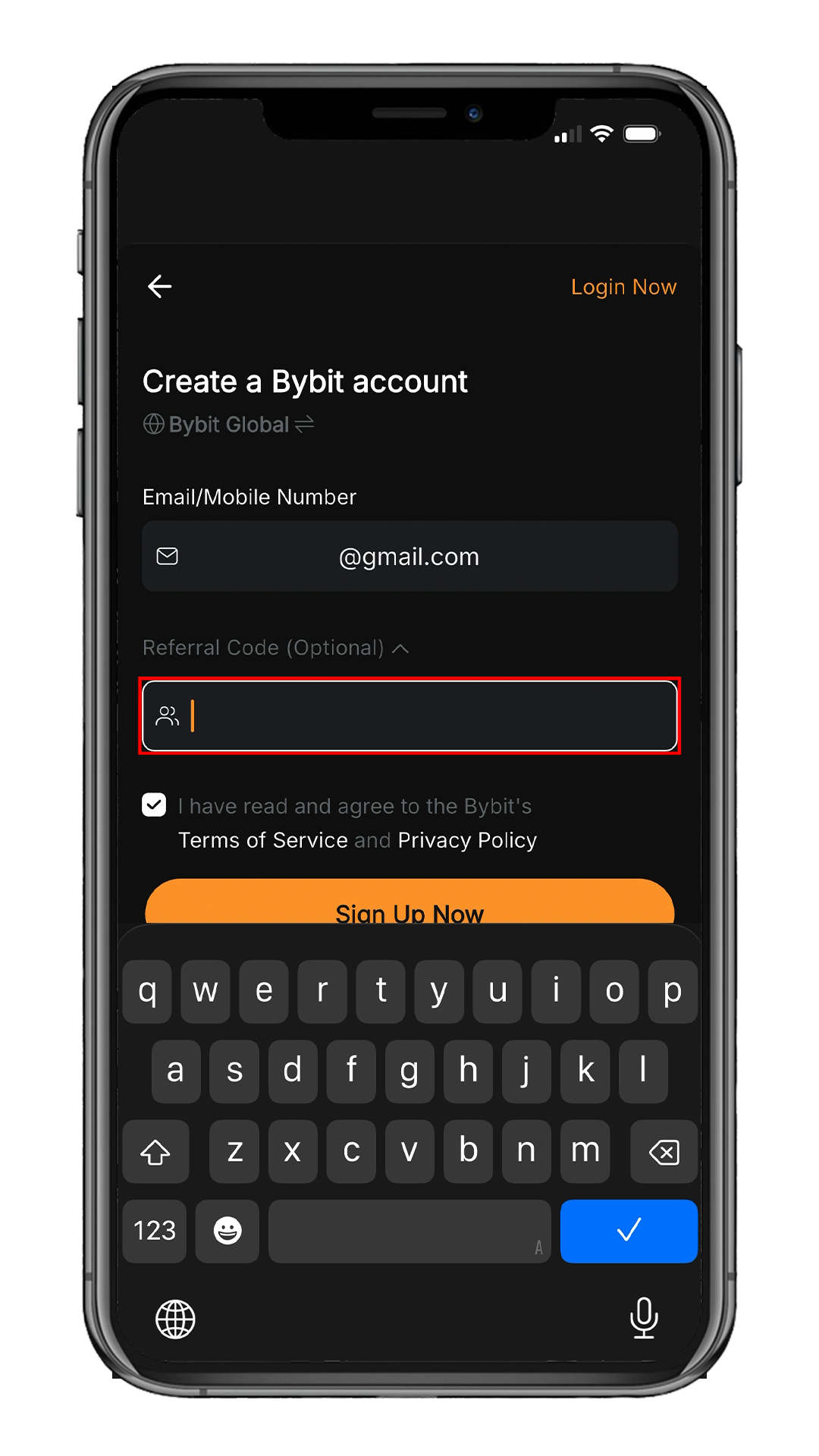
Open Referral Code Field
Tap Referral Code (Optional)
to expand the input field.
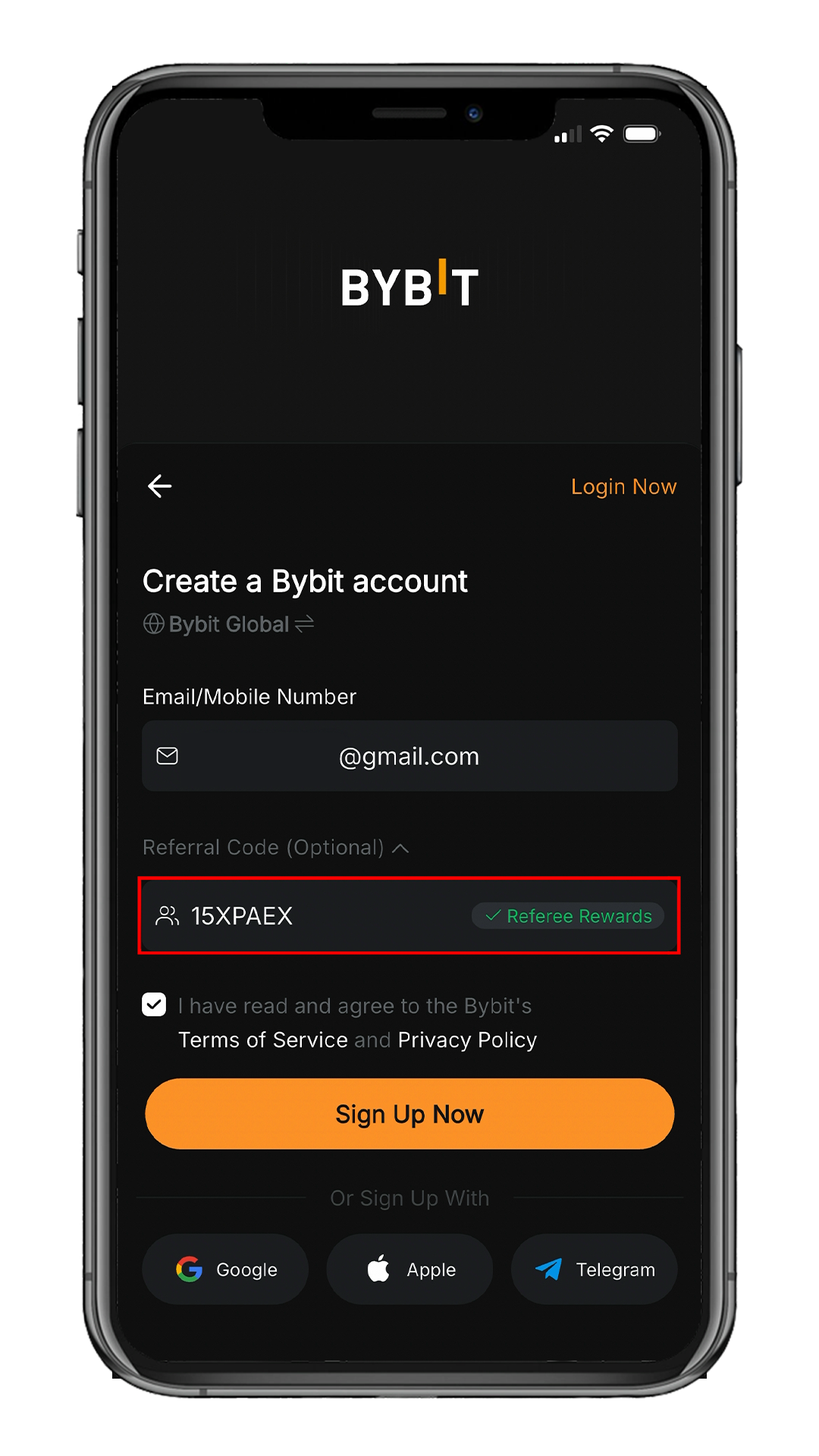
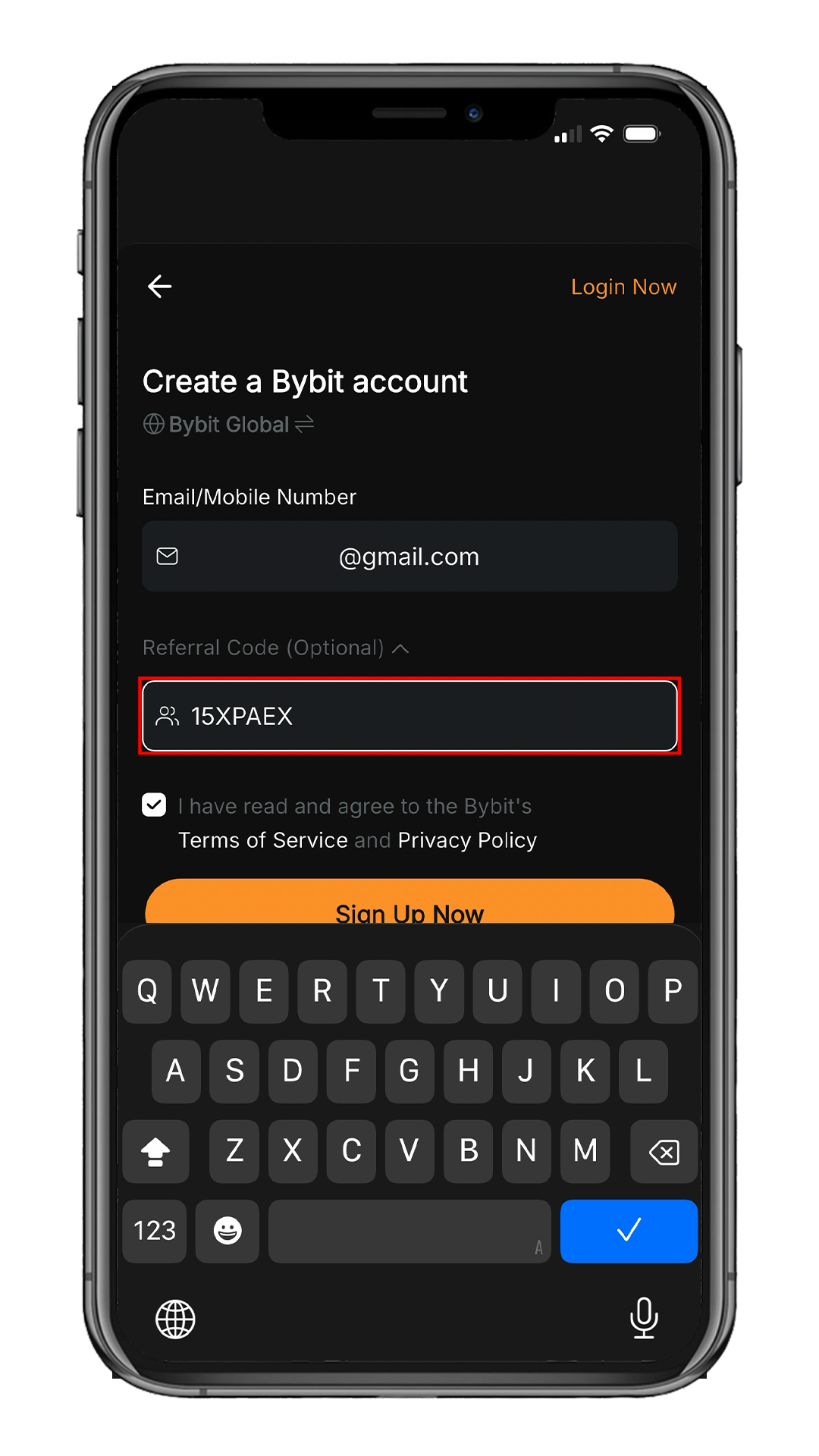
Enter Referral Code
Enter 15XPAEX
in the Referral Code field.
Enter the referral code to enjoy permanent trading fee cashback.
Confirm Code & Sign Up
Once entered, you'll see Referee Rewards appear.
Tap Sign Up Now.
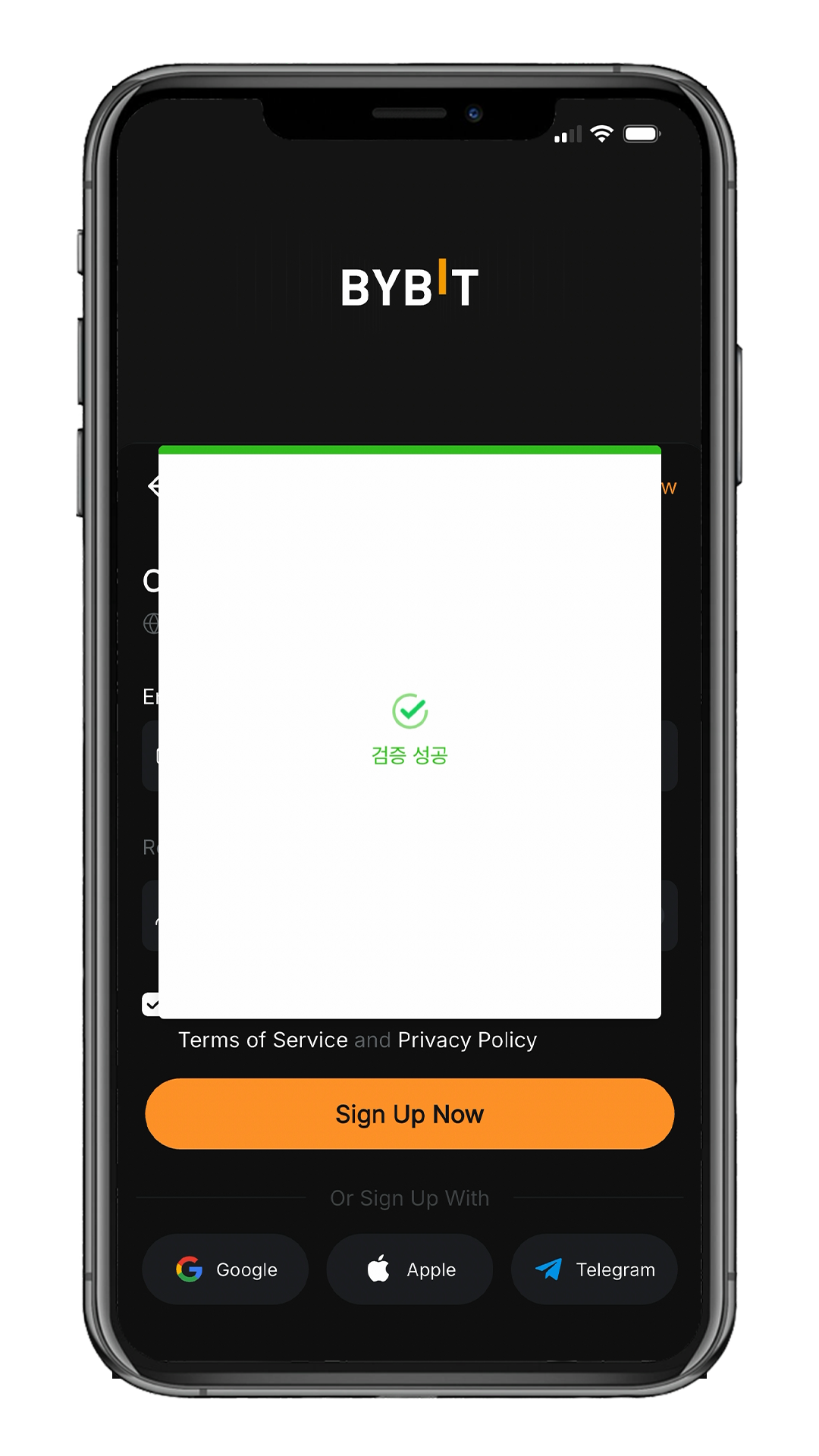
Security Verification
Complete the security verification shown on the screen.
It will proceed automatically once the success message appears.
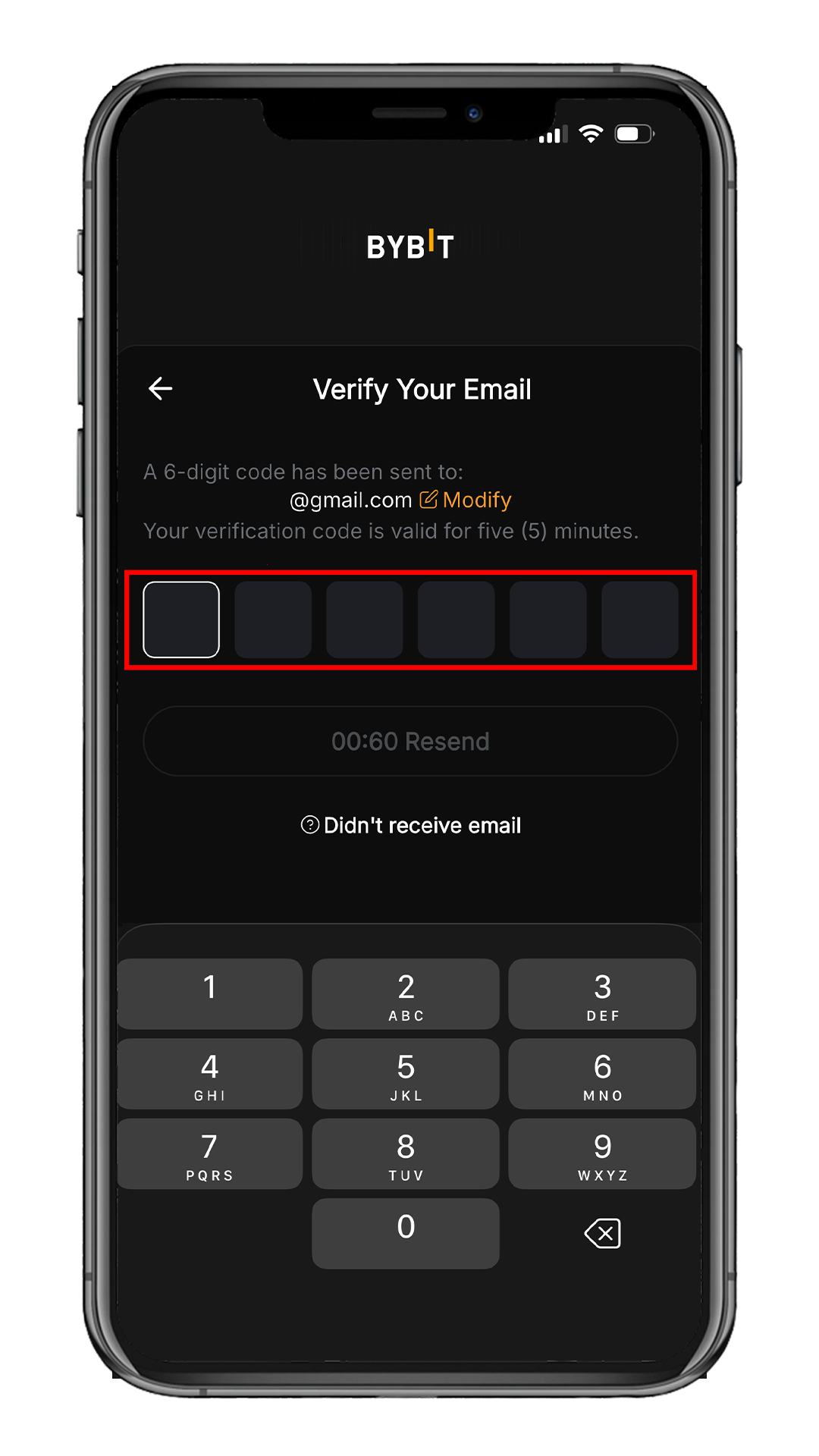
Email Verification
Enter the 6-digit code sent to your email.
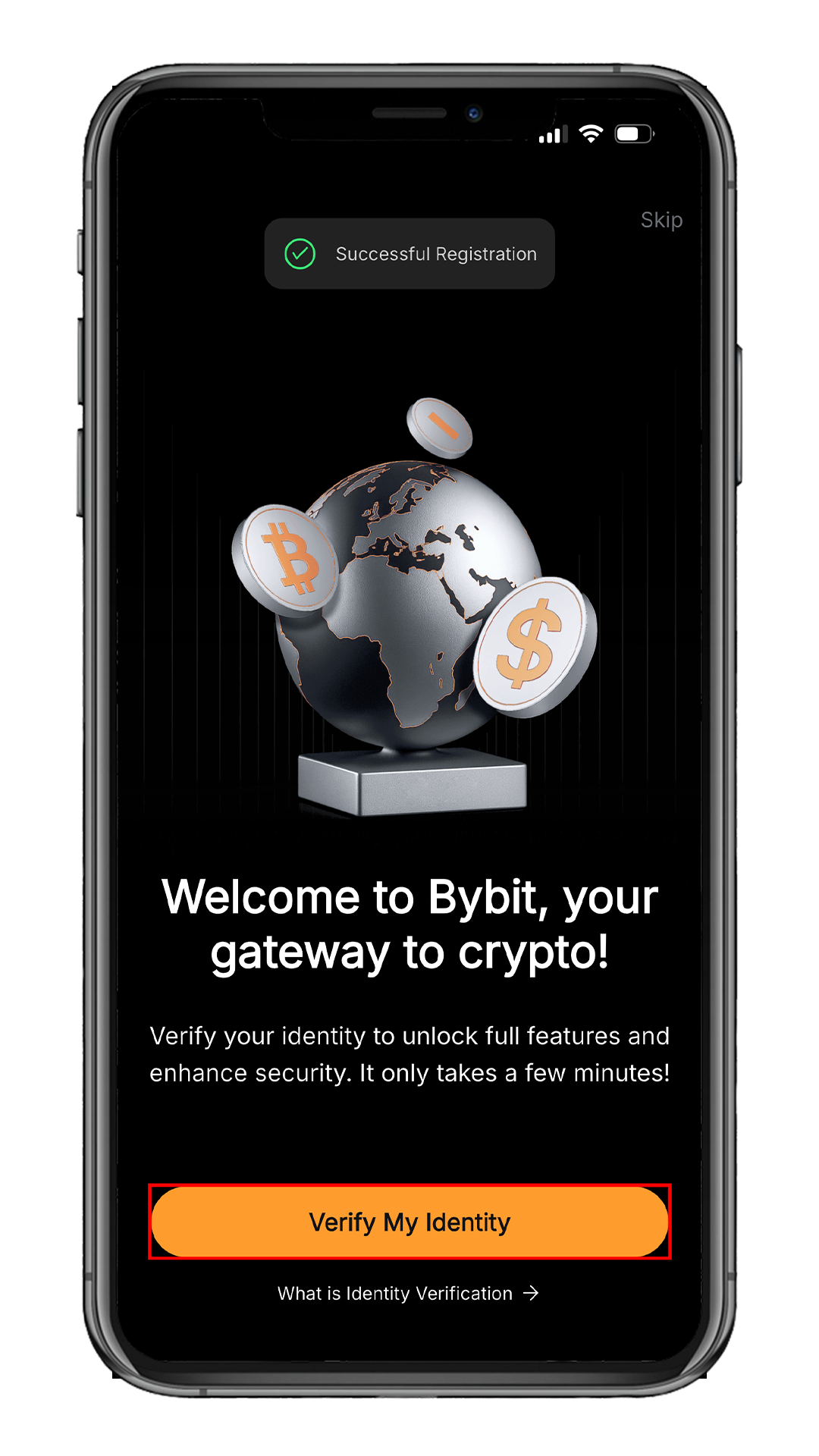
Account Created
Your account has been successfully created!
Tap Verify My Identity to start KYC.
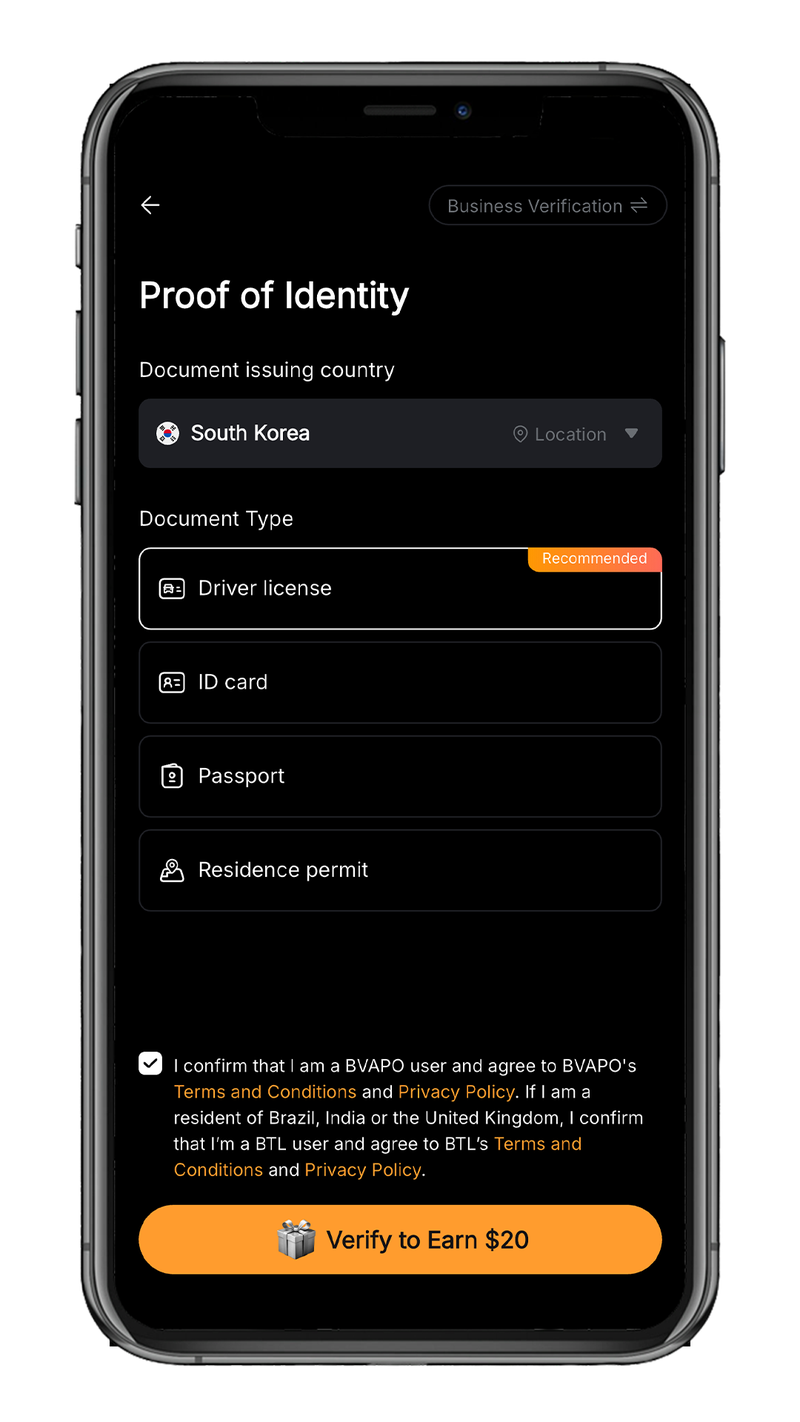
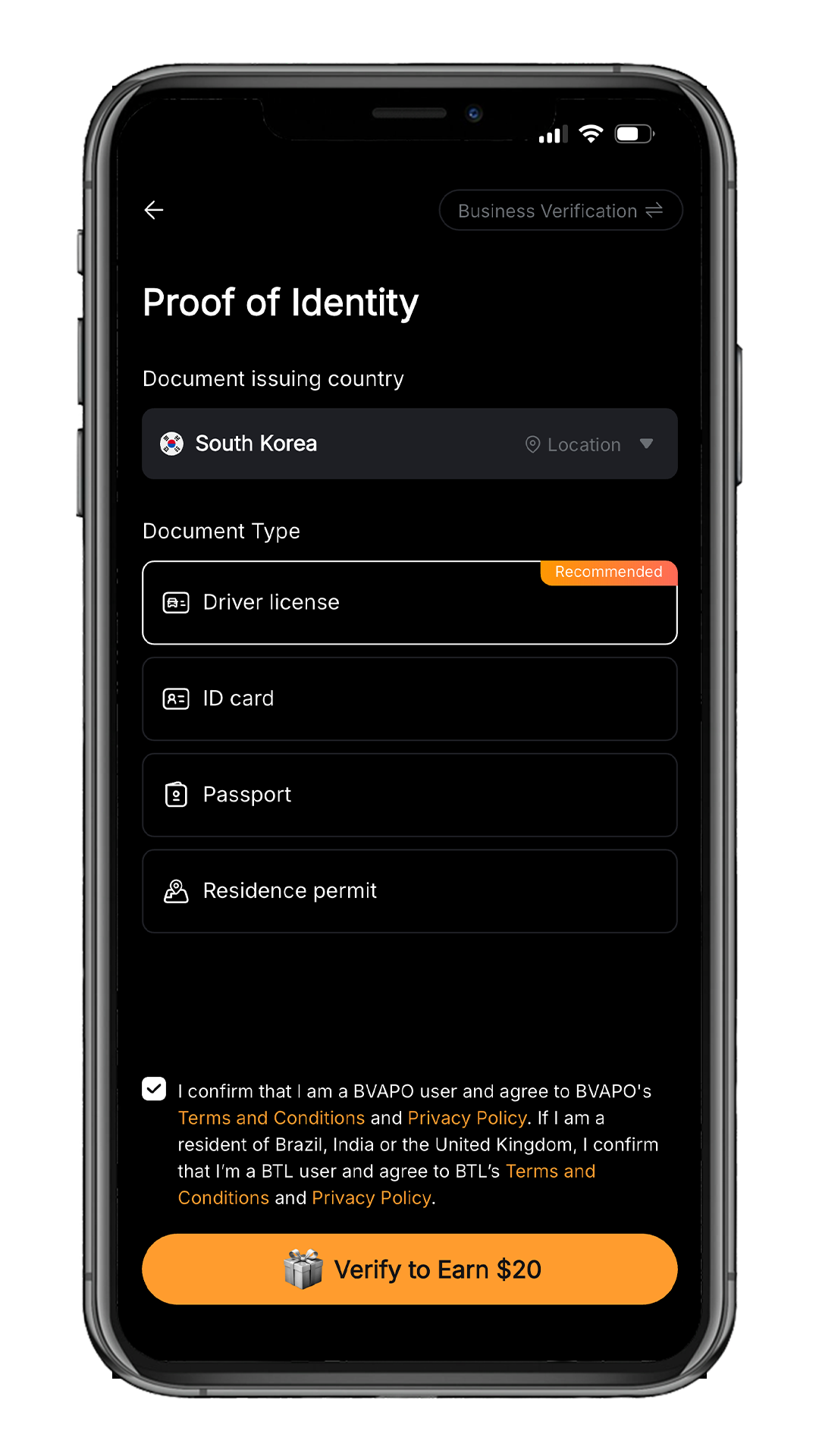
Identity Verification (KYC)
Select your country of residence and ID type, then complete verification.
• Driver License
• ID Card
• Passport
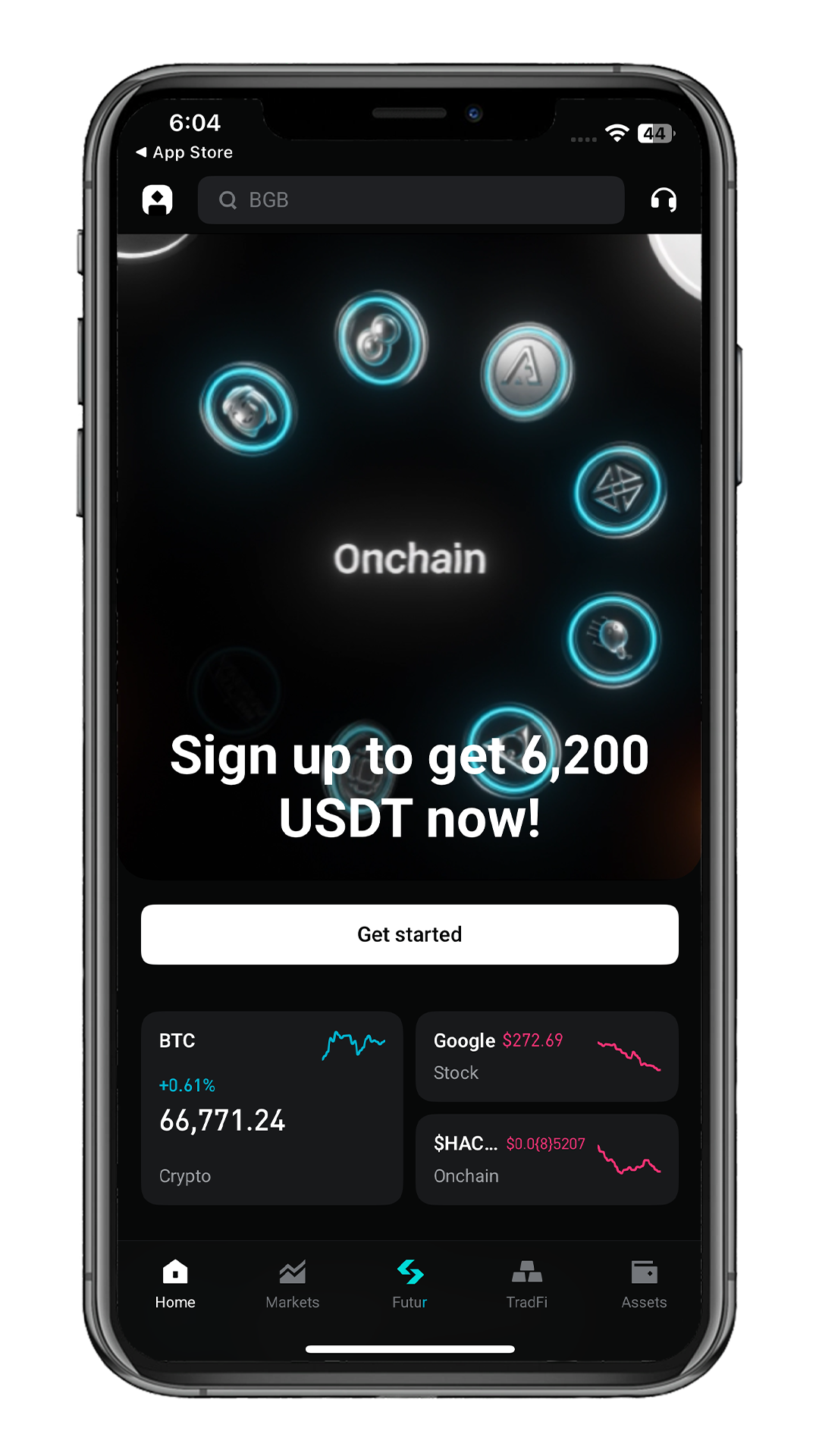
Welcome to Bybit!
Your Bybit account has been successfully created.
You can deposit and start trading after KYC.