

Bitget Sign-Up Guide
Follow the steps below — completes in 3 minutes
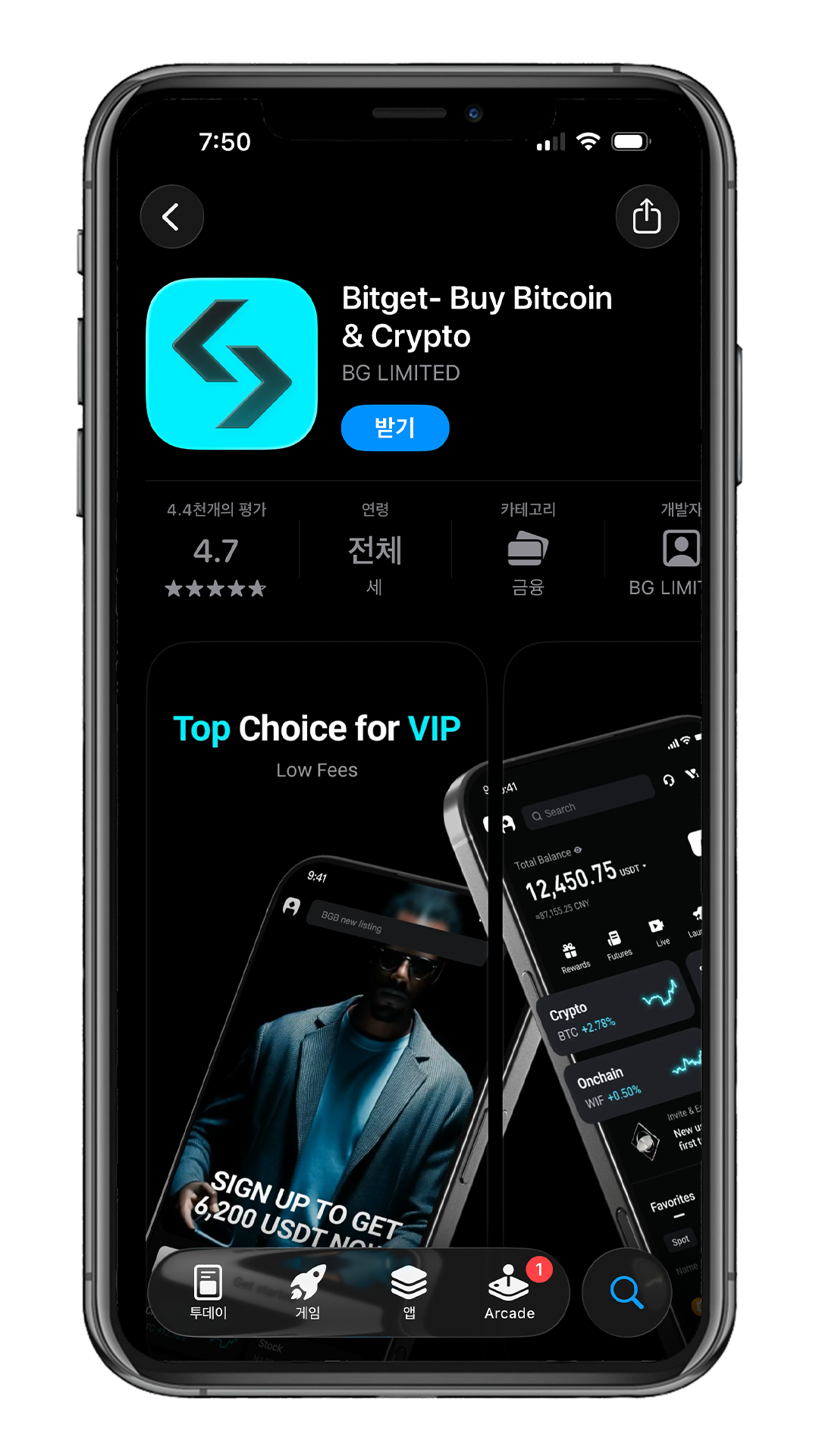
Download the Bitget App
Get the Bitget app from the App Store or Google Play.
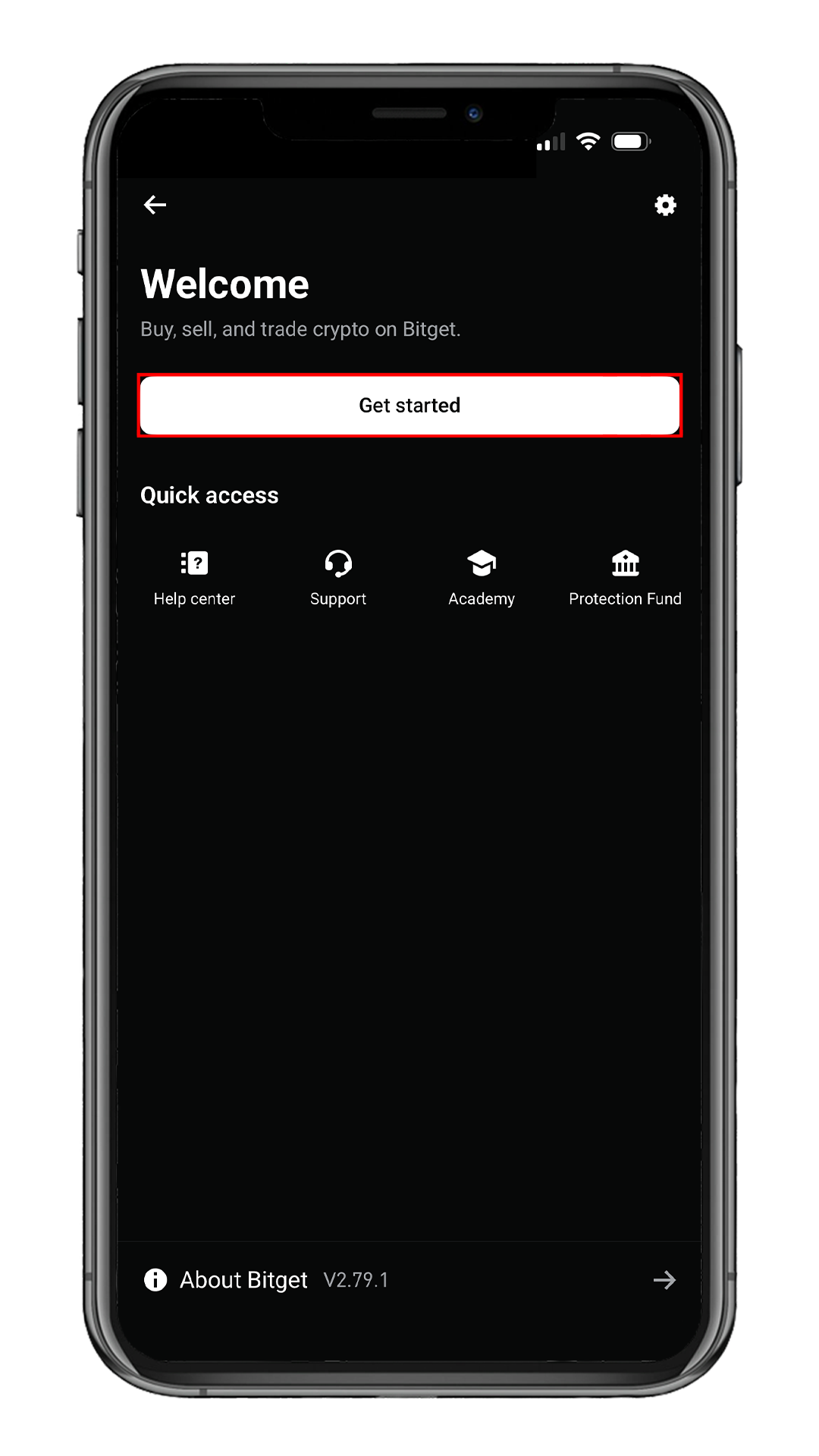
Launch the App
On the Welcome screen, tap
Get started.
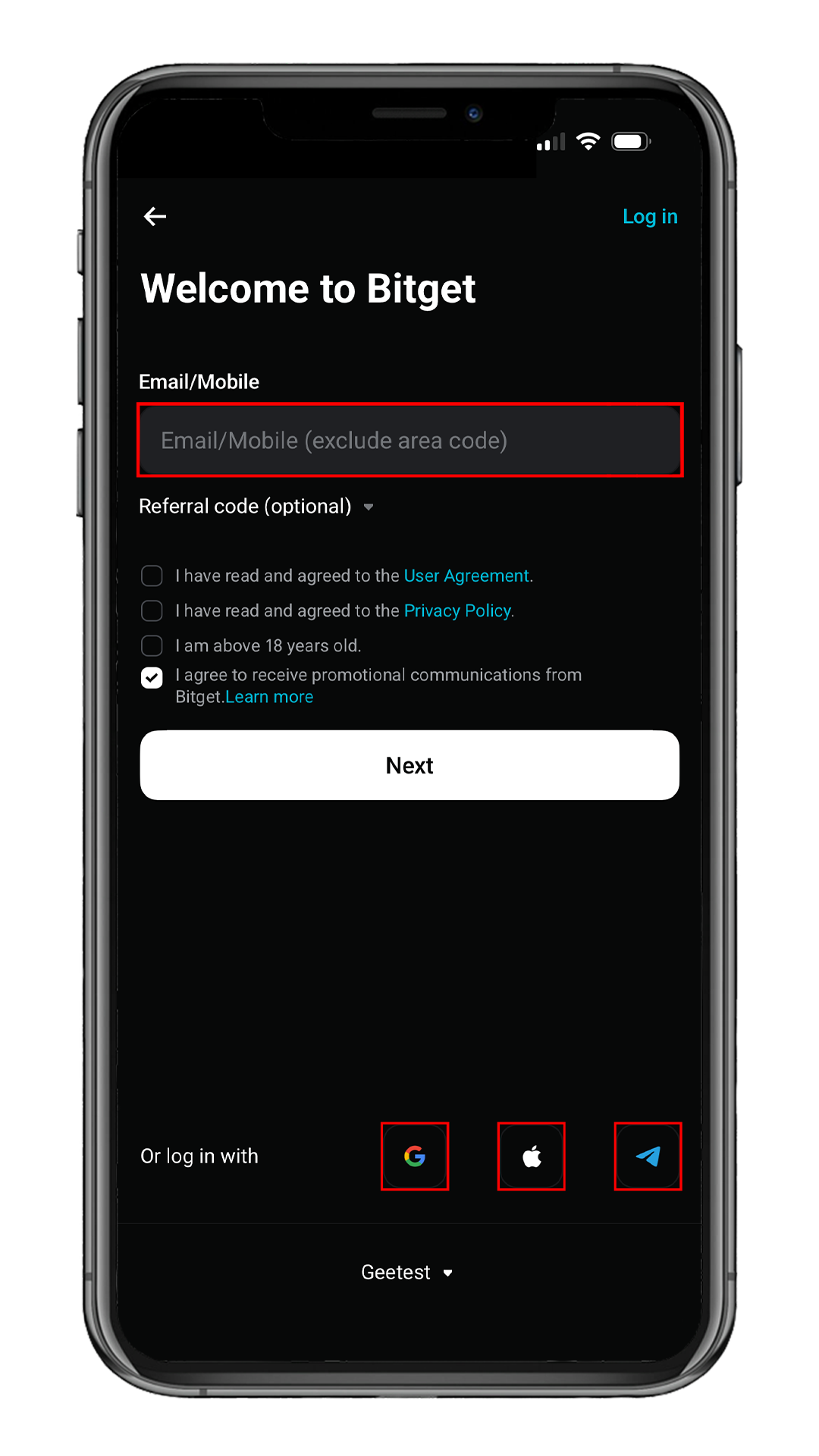
Enter Your Email
Type in your email address.
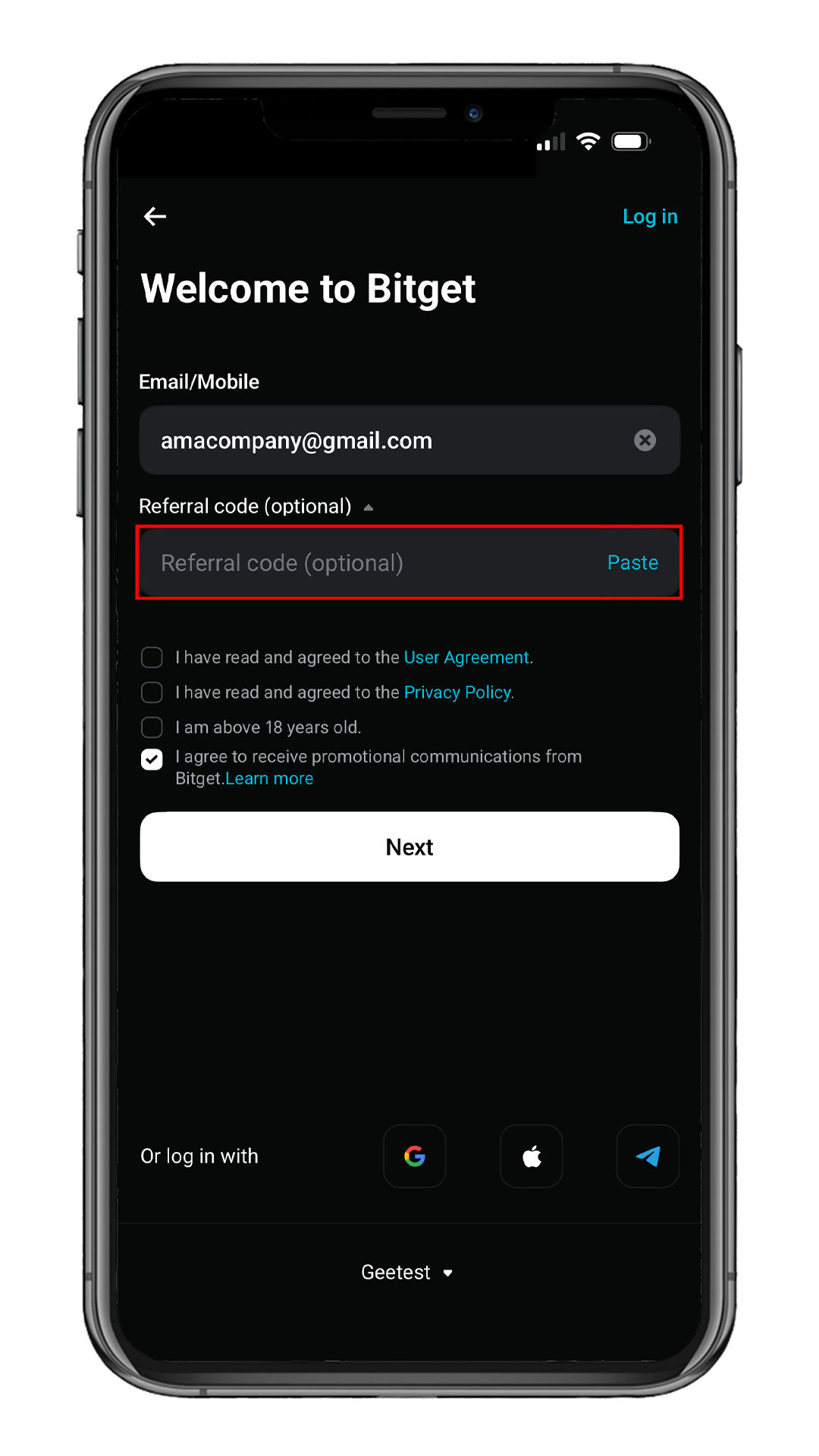
Tap Referral code (optional) below to expand the field.
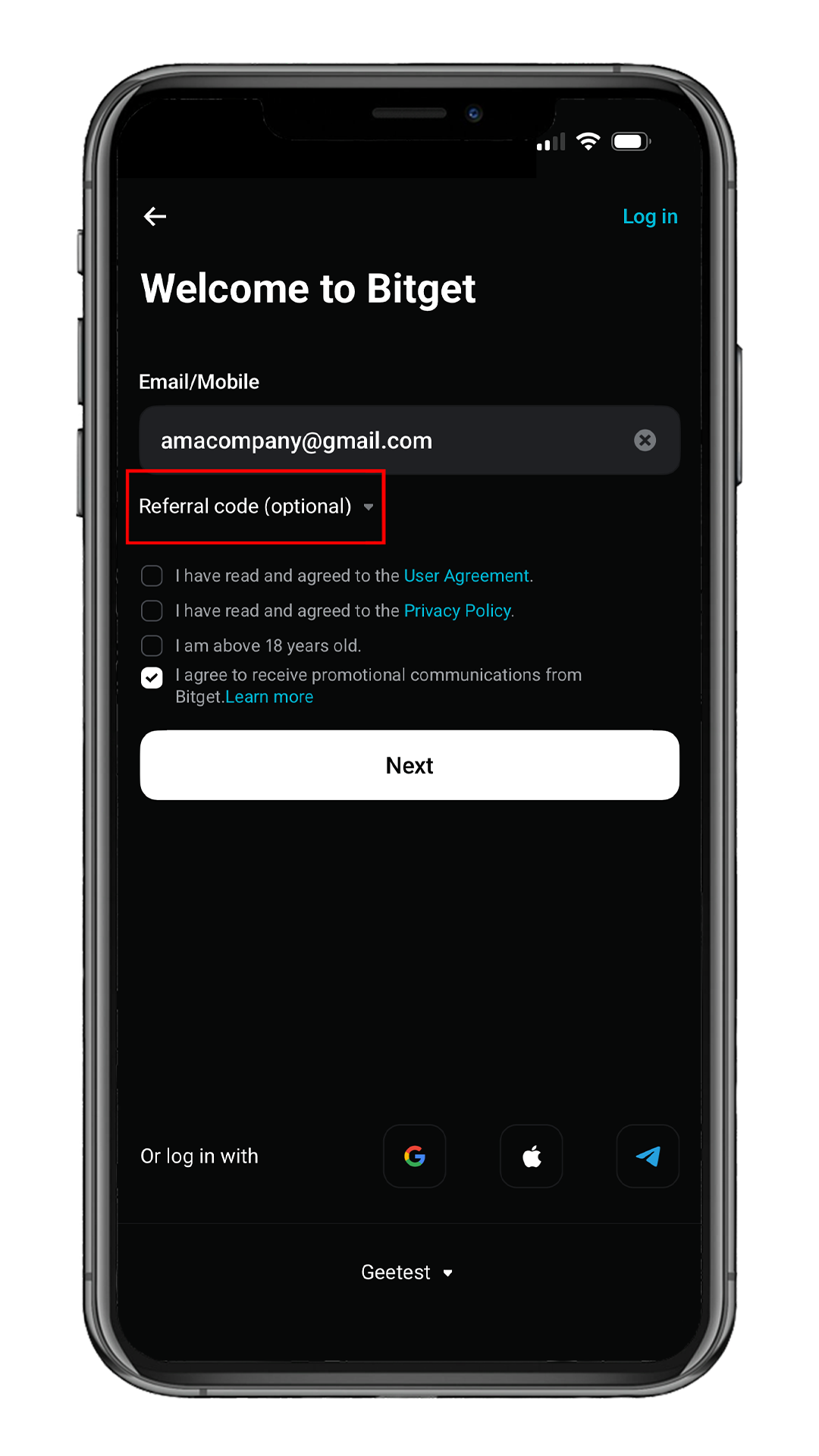
Open the Referral Field
Tap the Referral code field to prepare
for code entry.
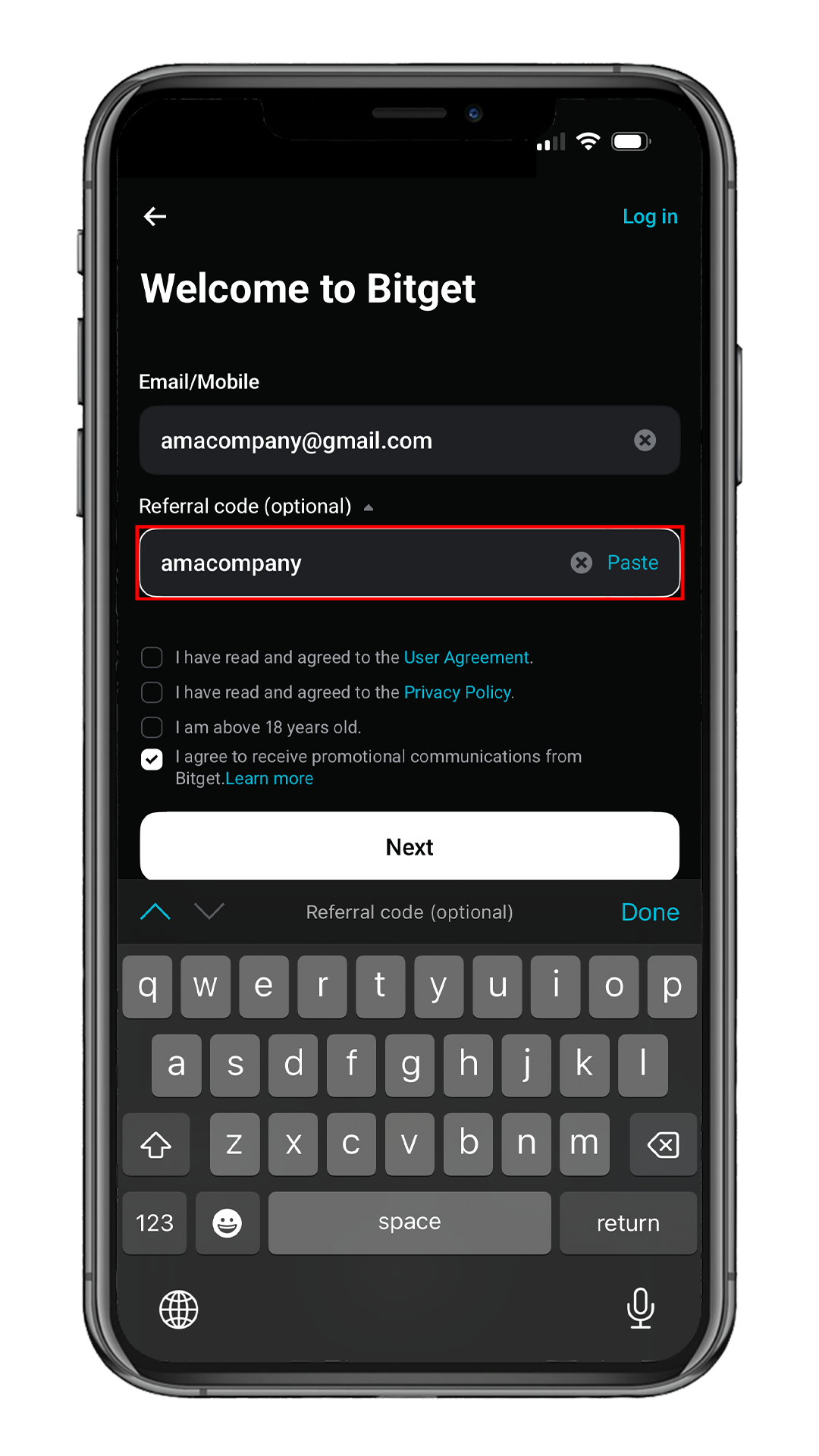
Enter Referral Code
Type amacompany in the Referral code field.
Enter the referral code to enjoy permanent trading fee cashback.
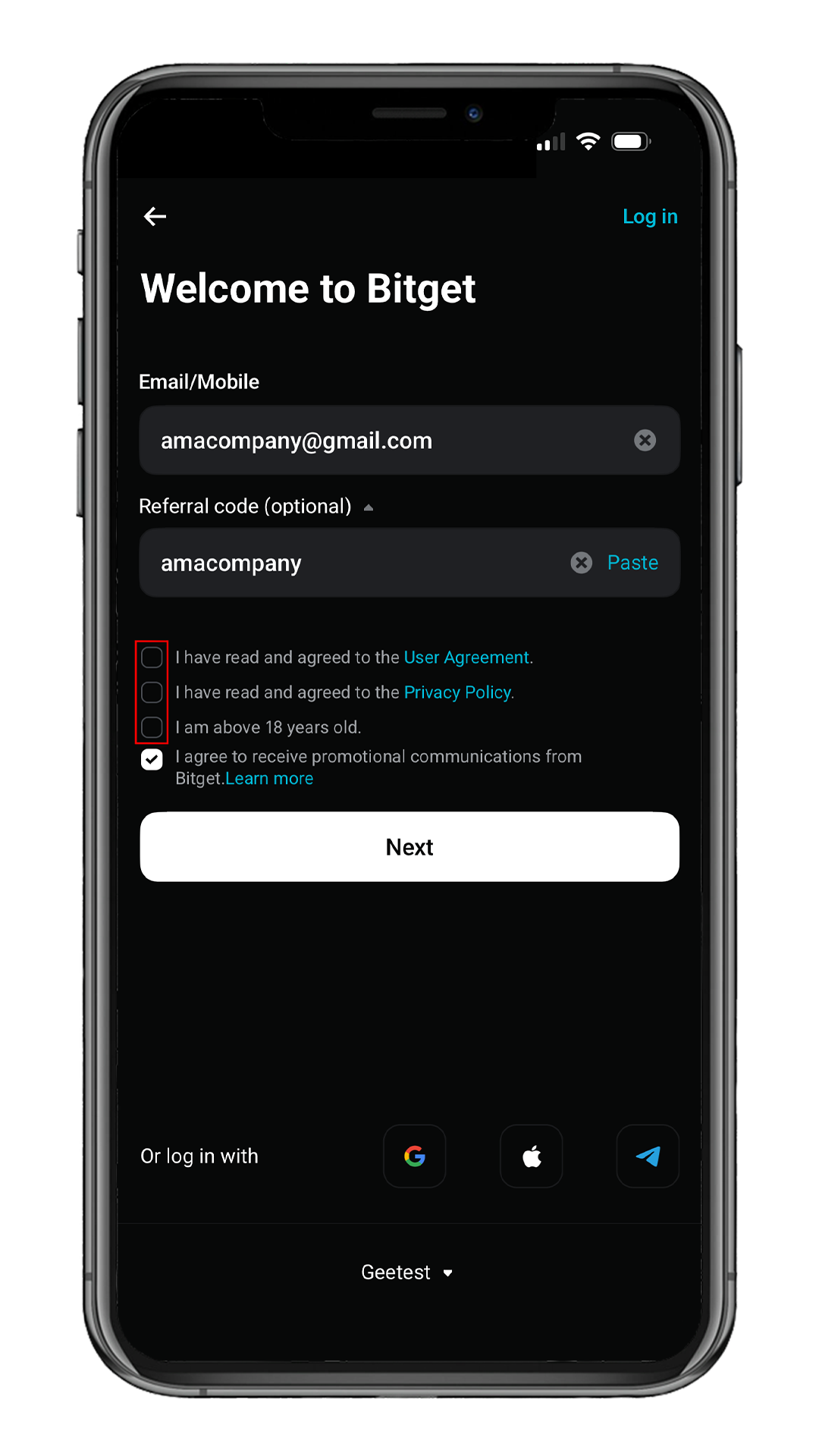
Accept Terms
Read the User Agreement and Privacy Policy
then check the consent boxes.
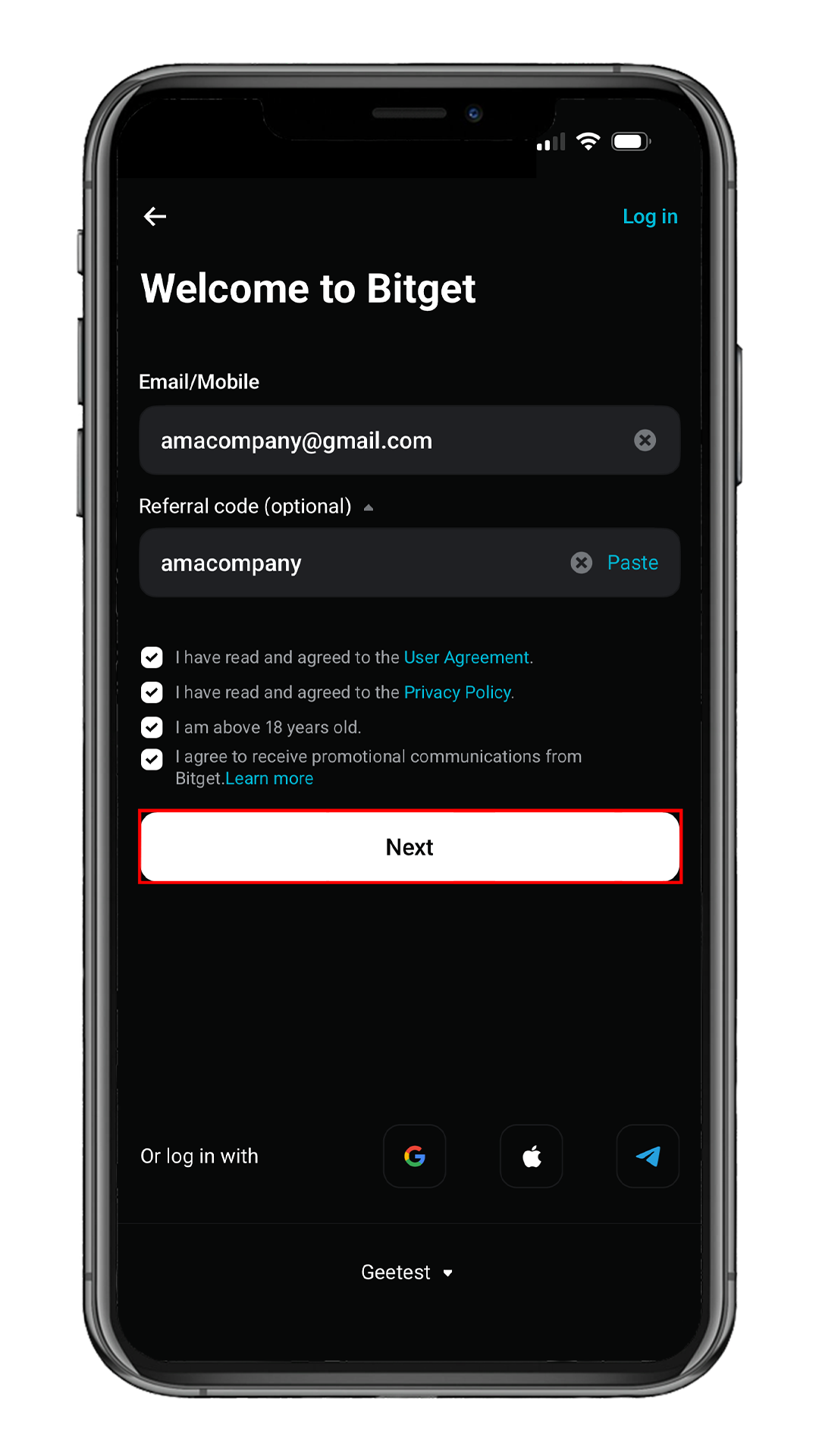
Submit Registration
After checking all the consent boxes,
tap Next.
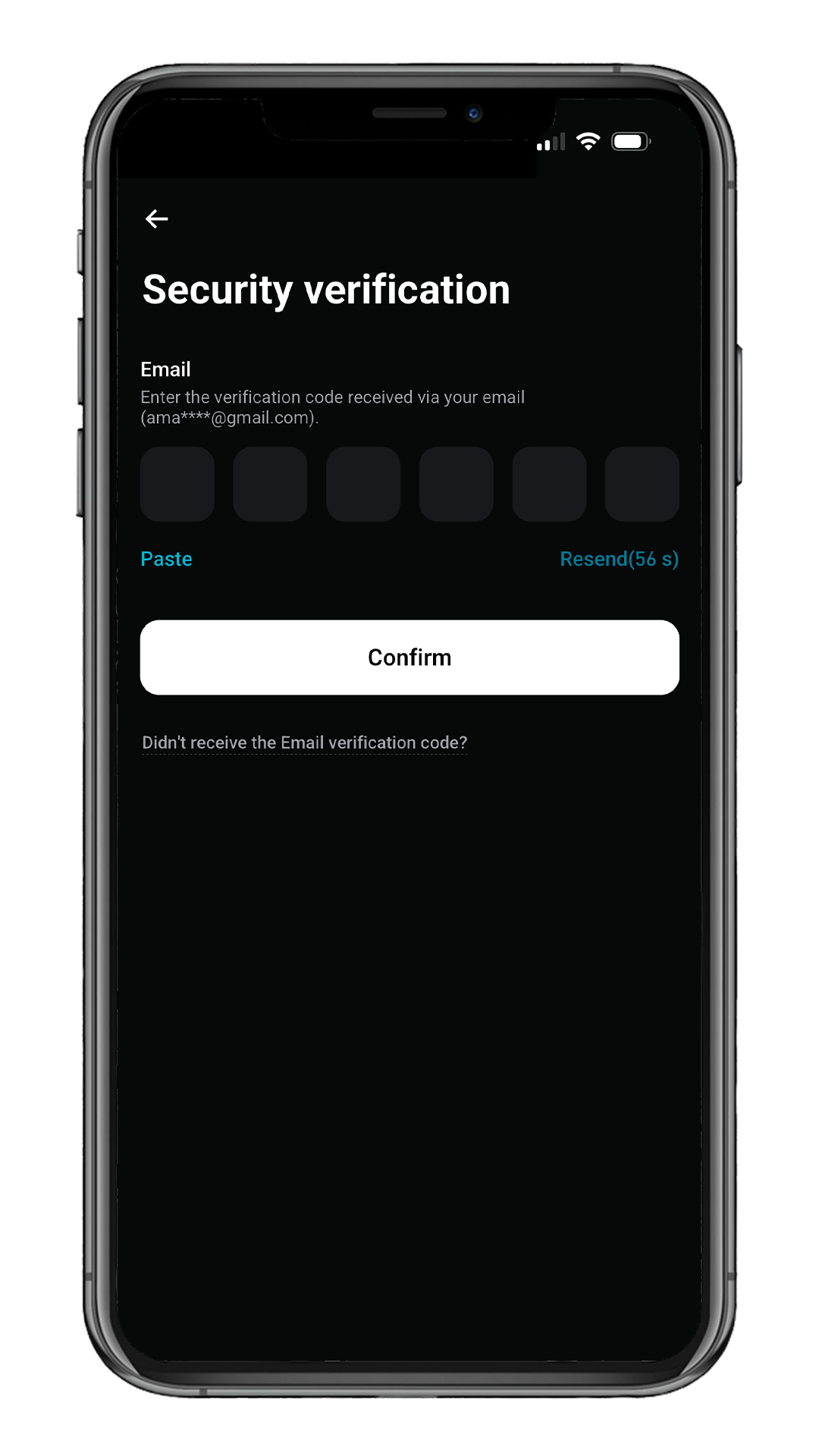
Email Verification
Enter the 6-digit verification code sent to your email,
then tap Confirm to complete registration.
Start Identity Verification
On the "Account created" screen,
tap Verify now to start KYC.
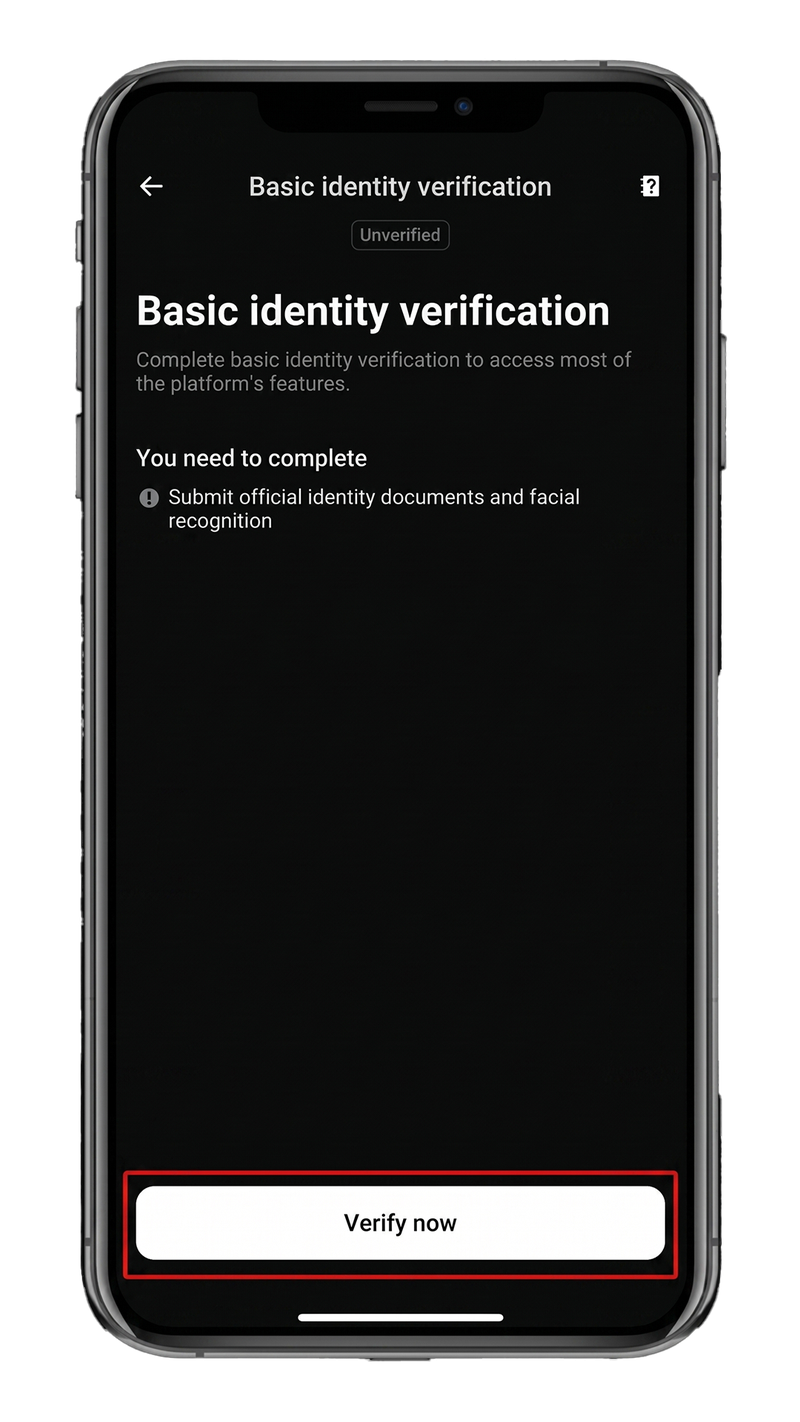
Basic Identity Verification
On the "Basic identity verification" page,
review the requirements and tap Verify now.
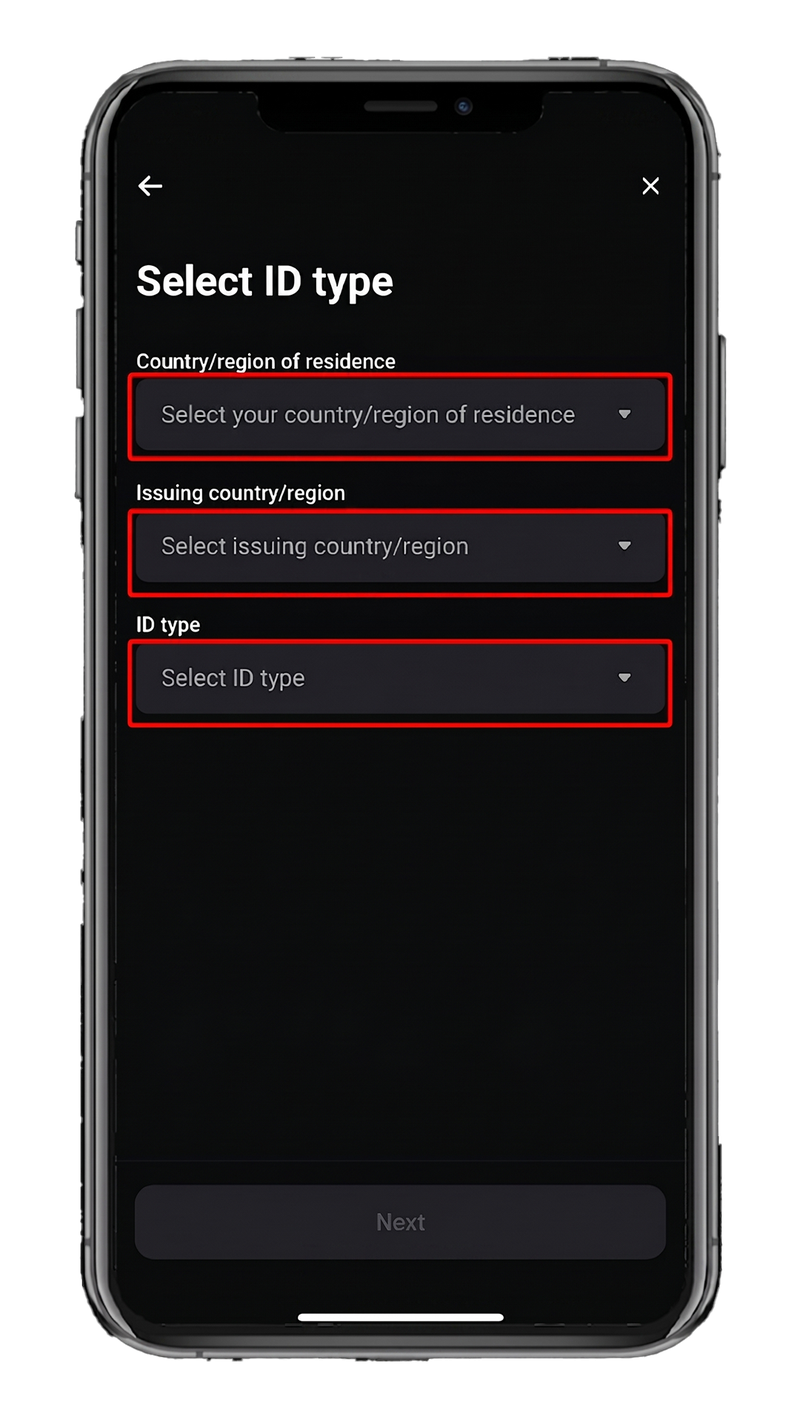
Open Select ID Type
Three fields must be filled:
Country/region of residence, Issuing country/region, and ID type.
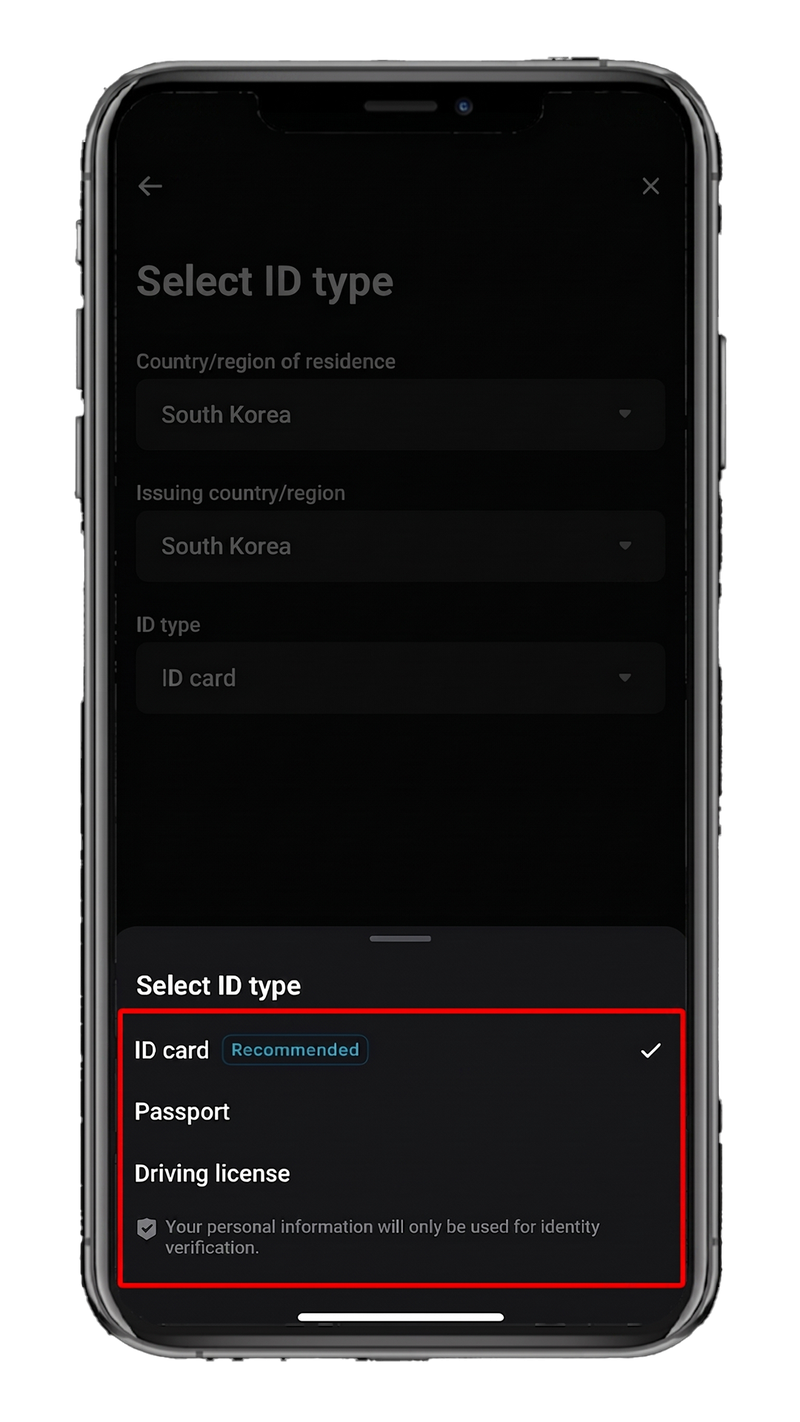
Select Country & ID Type
Select your Country of residence and Issuing country.
For ID type, ID card is fastest.
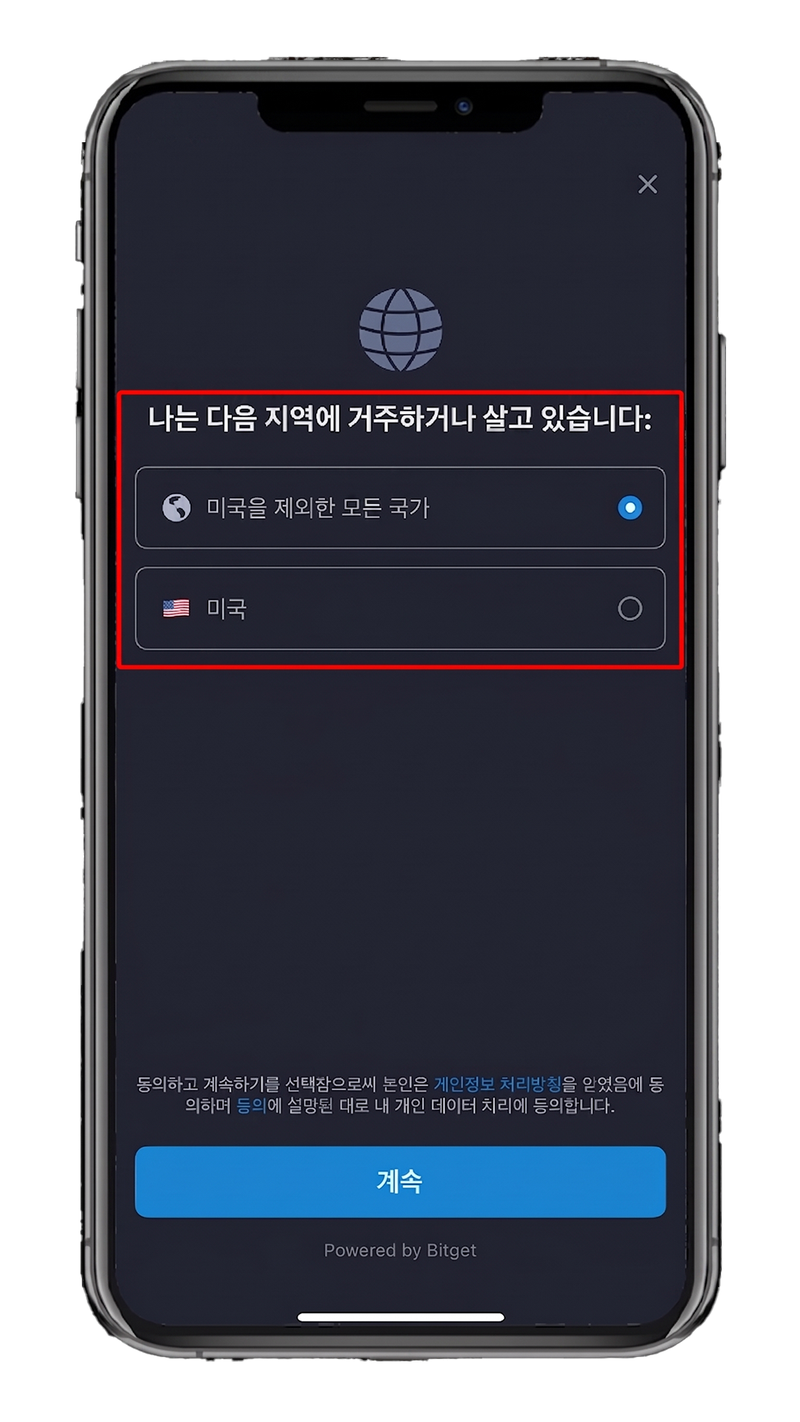
Confirm Residence Region
On the residence confirmation screen,
select your country of residence and tap Continue.
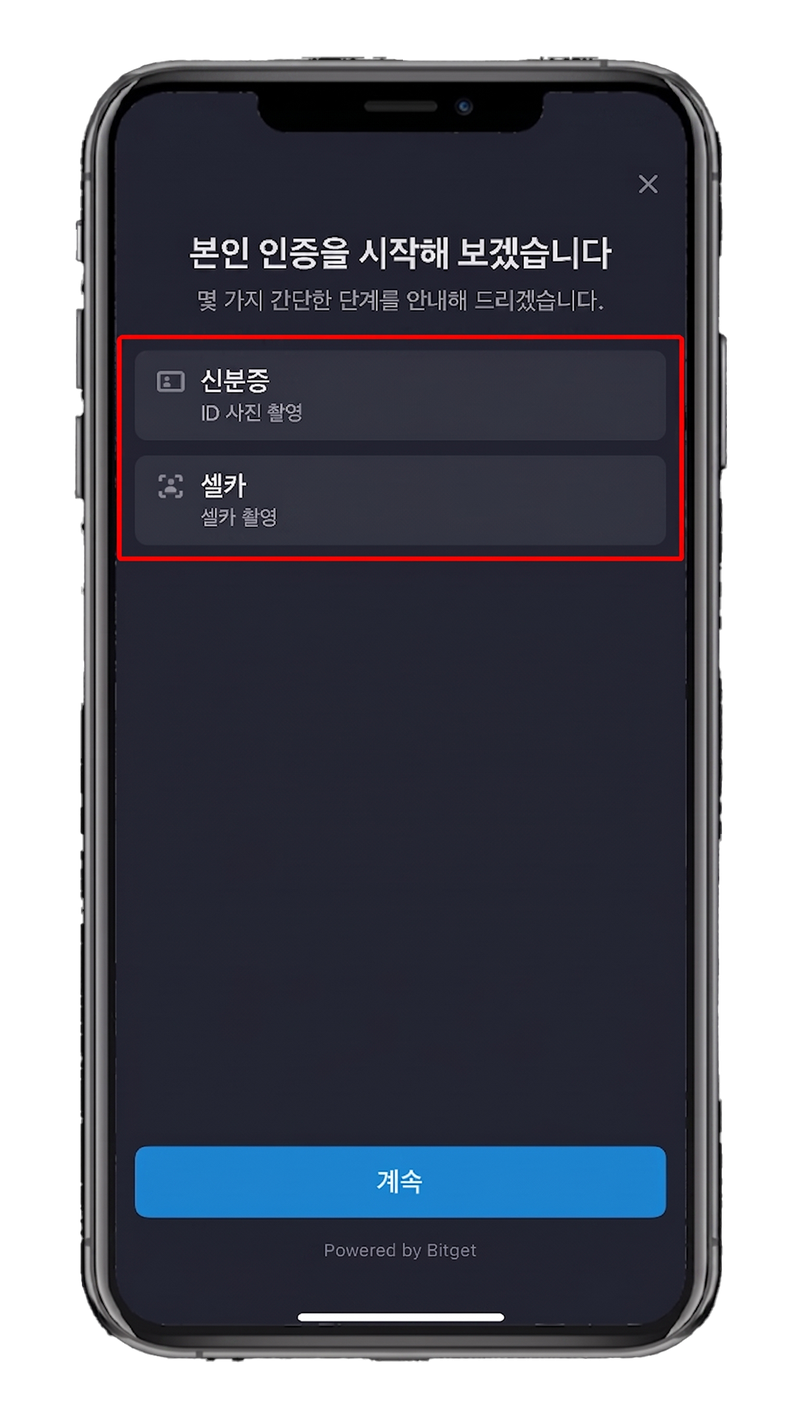
Start Identity Verification
On the "Let's start your identity verification" screen,
review the ID photo and selfie requirements,
then tap Continue.
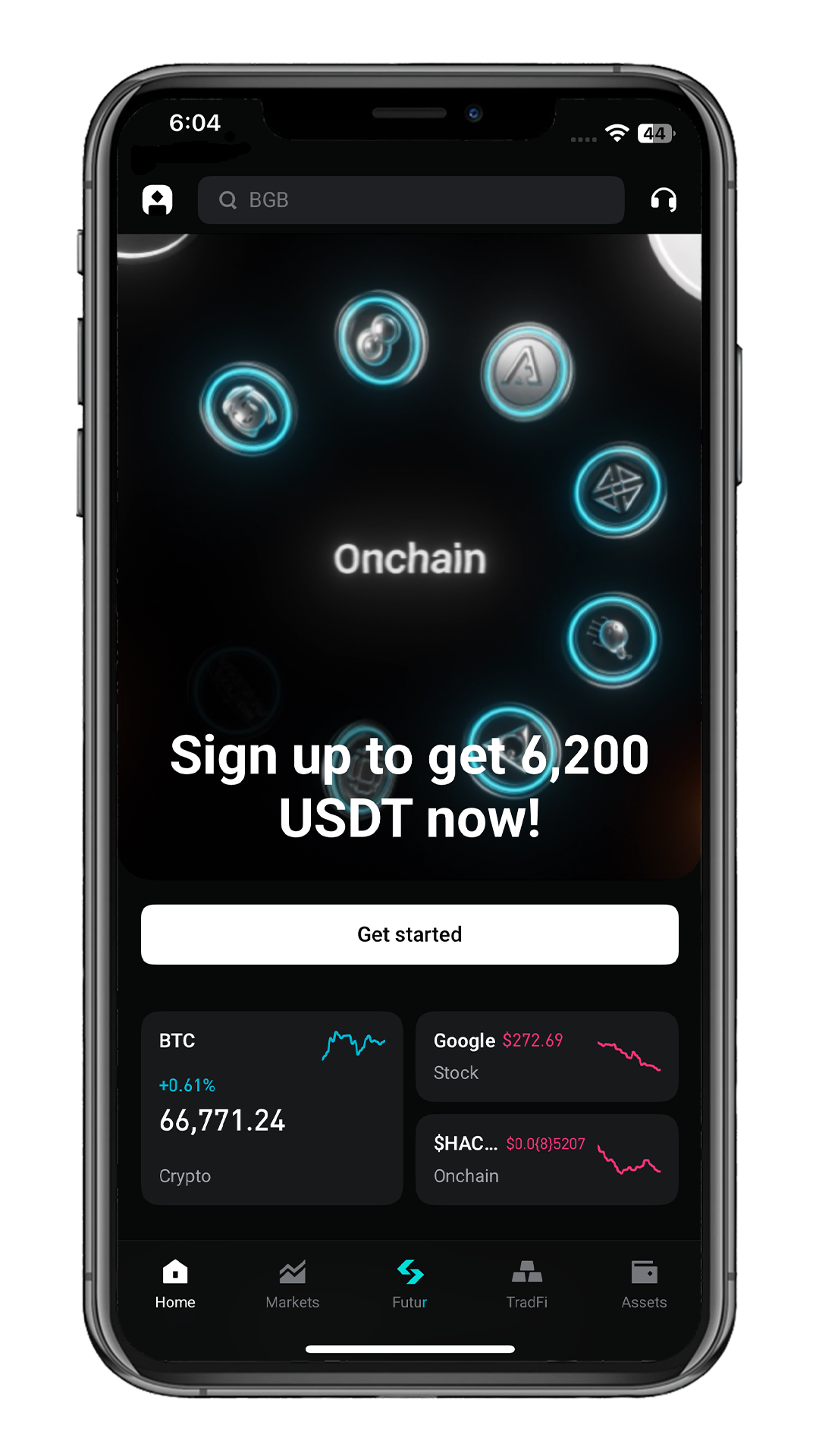
Welcome to Bitget!
Your Bitget account and identity verification have been successfully completed.
You can deposit and start trading now.